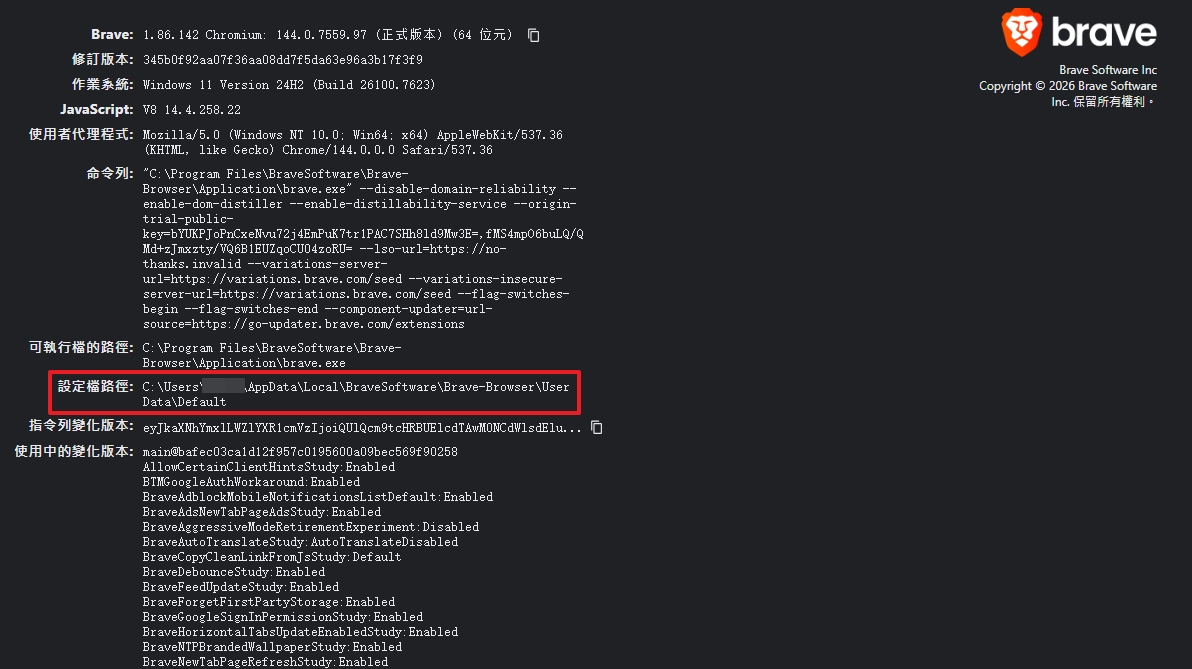
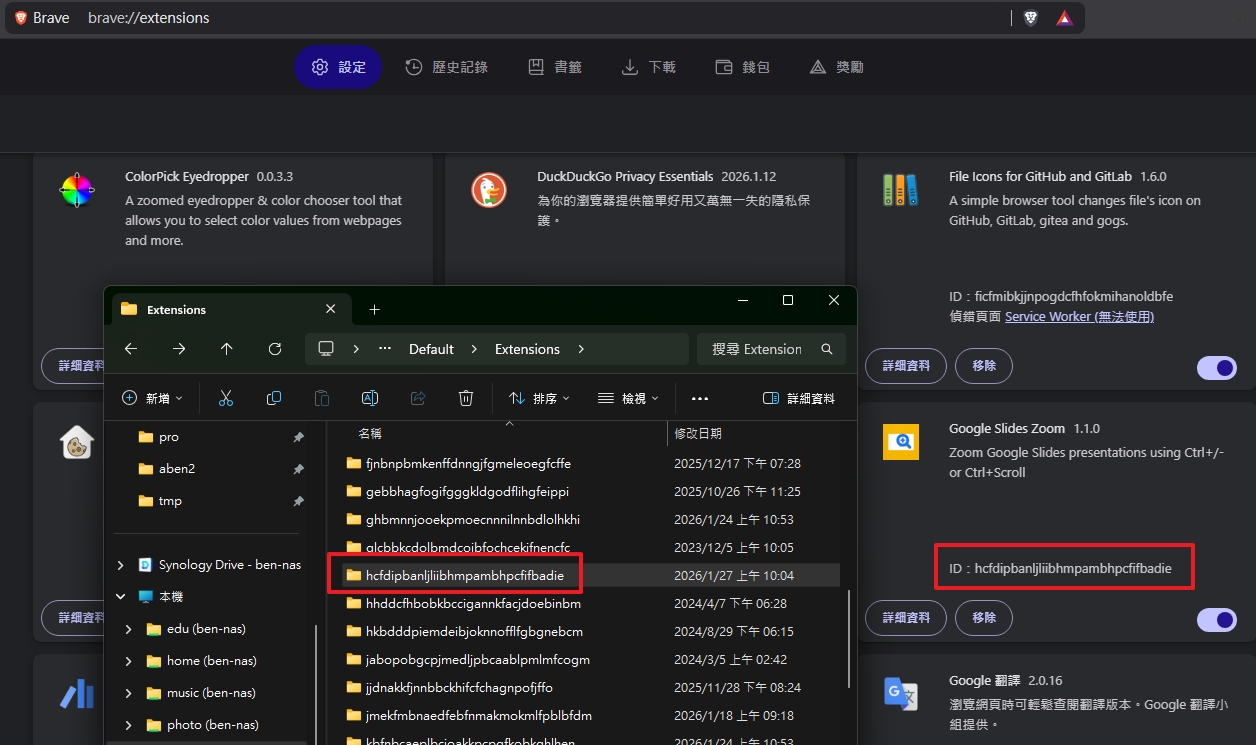
最近新上架了一個 Chrome 擴充功能 Google Slides Zoom,被問到怎麼確認 source code 及上架版本是同一個。因為上架都是自己額外手動打包,所以中間不免有些資安疑慮。剛好找到檢查已安裝 Chrome 擴充功能檔案內容的方法。
順便打廣告,這個擴充功能可以讓你在 Google 簡報中使用滑鼠滾輪來放大縮小投影片內容,非常實用!
Steps to Check Installed Chrome Extensions
- Open Google Chrome or your Chromium-based browser.
- Go to
chrome://version/(oredge://version/for Microsoft Edge;brave://version/for Brave). - Copy the “Profile Path” (設定檔路徑) value.
- Open your file explorer and navigate to the copied profile path.
- Inside the profile folder, locate and open the
Extensionsfolder. - Each subfolder corresponds to an installed extension, named by its unique ID (get ID from
chrome://extensions/).